

Documentation Index
Fetch the complete documentation index at: https://docs.lovable.dev/llms.txt
Use this file to discover all available pages before exploring further.
What are vibe coding levels?
Vibe coding levels track how actively you use Lovable. Your level increases automatically based on the number of messages you send while building, with no setup required. Levels are based on real usage and activity, rather than formal assessments or tests. You can view your current level in Settings → Your account → Vibe coding level.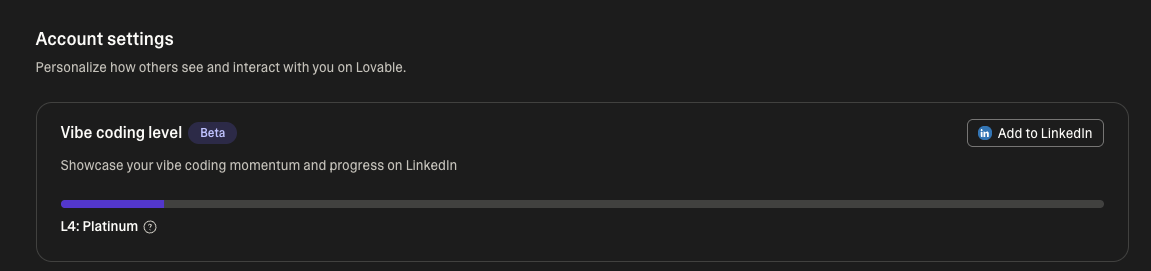
How vibe coding levels work
Vibe coding levels are calculated based on messages sent on Lovable.- Every prompt and iteration counts
- The more you build, the higher your level
- Levels update automatically as your activity grows
- Bronze: Getting started with Lovable
- Silver: Regular Lovable user
- Gold: Active Lovable builder
- Platinum: Highly engaged Lovable builder
- Diamond: Top-tier Lovable engagement
Add your vibe coding level to LinkedIn
You can optionally display your vibe coding level on your LinkedIn profile. To connect LinkedIn:- Go to Settings → Your account → Vibe coding level.
- Click Add to LinkedIn.
- Connect Lovable to your LinkedIn account.
FAQ
Does my vibe coding level expire?
Does my vibe coding level expire?
No. Your vibe coding level reflects your ongoing activity on Lovable and updates automatically as you continue building. There is no expiration date.
Can my vibe coding level go down?
Can my vibe coding level go down?
No, your level is based on total usage over time and updates as your activity grows. It does not decrease due to periods of inactivity.
Can I remove the certification from LinkedIn?
Can I remove the certification from LinkedIn?
Yes. You can remove it at any time by disconnecting LinkedIn from Settings → Your account → Vibe coding level or directly from your LinkedIn profile.
What happens to my LinkedIn certification if I delete my Lovable account?
What happens to my LinkedIn certification if I delete my Lovable account?
If you delete your Lovable account, the certification remains on LinkedIn unless you manually remove it.